How to Build a Smart Desk Setup That Boosts Productivit

Your desk isn’t just a place to work—it’s your command center. A well-optimized smart desk setup can improve focus, reduce physical strain, and boost your productivity, whether you’re working from home, studying, or managing a creative workflow.
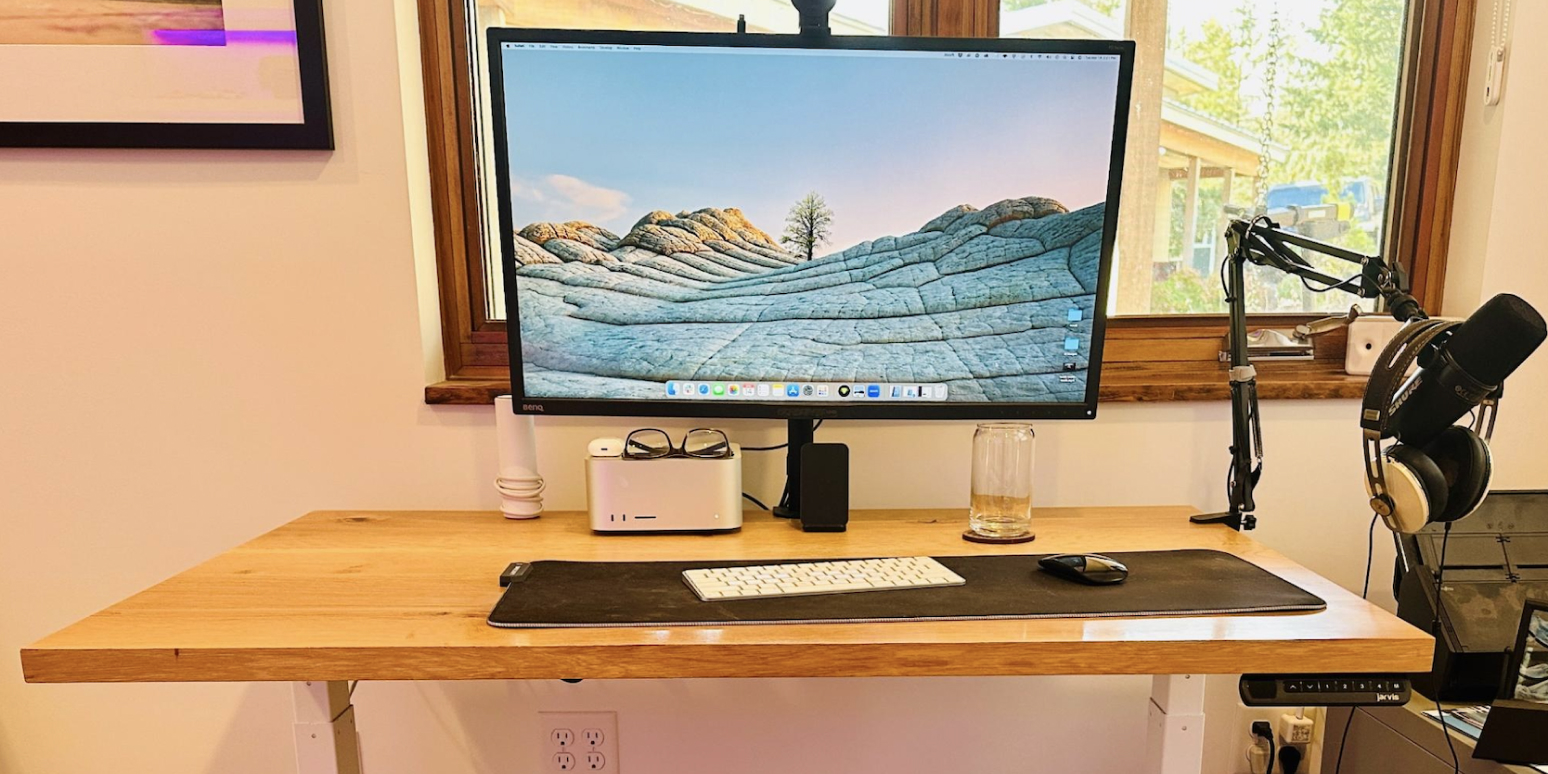
Your desk isn’t just a place to work—it’s your command center. A well-optimized smart desk setup can improve focus, reduce physical strain, and boost your productivity, whether you’re working from home, studying, or managing a creative workflow. With the right tech and ergonomic accessories, you can turn any desk into a workspace that works for you.
Here’s how to build the ultimate smart desk setup in 2025 without overwhelming your space or your budget.
Why Upgrade Your Desk Setup?
- Boost Efficiency: Fewer distractions, more organization
- Improve Comfort: Reduce fatigue with ergonomic gear
- Enhance Focus: Ambient lighting, better audio, and minimal interruptions
- Optimize Workflow: Automate, streamline, and sync your digital tasks
1. Smart Monitor or Dual-Screen Setup
Recommended: 27–32” 4K smart monitor or a dual-monitor mount
Why it matters:
More screen real estate means easier multitasking, better clarity for creative work, and reduced eye strain.
Features to look for:
- USB-C or Thunderbolt ports
- Built-in apps or smart hubs
- Adjustable height and tilt
2. Ergonomic Chair with Lumbar Support
Recommended: Mesh or memory foam with adjustable armrests and back support
Why it matters:
Spending hours sitting can affect posture and productivity. A good chair prevents fatigue and keeps you focused longer.
Features to look for:
- Adjustable seat height and lumbar support
- Breathable material
- Recline and lock functions
3. Sit-Stand Desk or Desk Converter
Recommended: Electric adjustable desks with programmable height settings
Why it matters:
Alternating between sitting and standing promotes blood circulation and improves energy levels throughout the day.
Features to look for:
- Smooth motorized height adjustment
- Memory presets
- Sturdy frame and cable management
4. Wireless Charging Pad or Charging Dock
Recommended: 3-in-1 wireless chargers for phone, earbuds, and watch
Why it matters:
Keeps your essentials powered without cable clutter, saving time and space.
Features to look for:
- Fast charging (Qi-certified)
- Multi-device compatibility
- Compact footprint
5. Smart Lighting and Desk Lamp
Recommended: Dimmable LED lamp with adjustable color temperature
Why it matters:
Proper lighting reduces eye strain and sets the mood for work, reading, or calls.
Features to look for:
- App or voice control
- Color-changing or daylight simulation
- Integrated wireless charging or USB ports
6. Noise-Canceling Headphones or Smart Speakers
Recommended: Over-ear ANC headphones or a desktop smart speaker
Why it matters:
Music or ambient sound can enhance focus, while noise-canceling tech blocks distractions.
Features to look for:
- Bluetooth or wired dual mode
- Smart assistant support (Google, Alexa, Siri)
- Long battery life
7. Cable Management System
Recommended: Under-desk trays, adhesive clips, or cable sleeves
Why it matters:
A clean workspace improves mental clarity and protects cables from wear or tangling.
Features to look for:
- Reusable fasteners
- Desk grommets or mounts
- Adjustable trays or Velcro ties
8. Smart Assistant Display
Recommended: Google Nest Hub, Amazon Echo Show, or Lenovo Smart Clock
Why it matters:
Manage reminders, weather, calls, meetings, and smart home devices hands-free.
Features to look for:
- Calendar syncing
- Voice command responsiveness
- Minimalist design
9. Desk Mat with Embedded Shortcuts or NFC Tags
Recommended: Smart desk mats with NFC for triggering routines
Why it matters:
You can automate tasks like launching work apps or silencing notifications with a tap.
Features to look for:
- Custom NFC configuration
- Mouse-friendly surface
- Spill resistance
10. Personal Comfort Add-Ons
Examples:
- Mini desktop fan or heater
- Mug warmer for coffee or tea
- Air purifier for clean airflow
- Footrest for under-desk comfort
Why they matter:
Your physical comfort directly impacts your mental clarity and productivity.
Smart Desk Setup Checklist
|
Item |
Purpose |
Key Benefit |
|
Smart Monitor |
Visual workspace |
Improved clarity & multitasking |
|
Ergonomic Chair |
Comfort and posture |
Reduces back/neck strain |
|
Sit-Stand Desk |
Activity switching |
Boosts energy and mobility |
|
Wireless Charger |
Charging convenience |
Cable-free power management |
|
Smart Desk Lamp |
Eye-friendly lighting |
Better focus and atmosphere |
|
ANC Headphones/Smart Speaker |
Audio and communication |
Distraction-free focus |
|
Cable Management |
Desk organization |
Cleaner workspace |
|
Smart Assistant Display |
Hands-free control |
Streamlined productivity |
|
NFC Desk Mat |
Task automation |
Faster workflows |
|
Comfort Gadgets |
Climate and personal control |
Enhanced focus through comfort |
Final Thoughts
Building a smart desk setup is about finding the right blend of technology and ergonomics. It’s not about packing in as many gadgets as possible—it’s about choosing tools that serve your goals, reduce mental clutter, and make work feel effortless.
In 2025, even a few upgrades can make a major difference in your productivity, comfort, and mood. Whether you're working remotely, managing projects, or studying for hours, your desk can become your greatest asset.
Recent Blogs
-

Why the FIFA World Cup Royal Belgian Team Hoodie Is a Must-Have for Every Belgium Football Fan
-

How to Style and Why You Need the Canada FIFA World Cup 2026 Jacket for Game-Day Streetwear
-

Why the Becky Hammon New York Liberty v Las Vegas Aces Blazer Is the Ultimate Power Dressing Essential
-

Why the Aryna Sabalenka Wimbledon Championships 2026 T-shirt Deserves a Spot in Your Sportswear Collection
-

Why You’re Looking for the Karl-Anthony Towns New York Knicks Championship Parade & Ceremony Jacket: How to Style the Iconic 2026 Varsity Look